Your Academic Life. One Workspace.
Understand. Organize. Learn. Finish. Fixly knows your subjects, deadlines and notes — and turns them into real tasks for today.
v1.0.10 · 1.43 GB · Windows 10/11 x64
~5 GB free disk for the built-in AI · SHA-256: a79174ac…63225
SmartScreen warning? It's normal — the app isn't signed yet. More info → Run anyway.
Every semester starts clean.
Then this happens.
“The deadline was hidden in slide 47 of a PDF.”
“Notes in Drive, dates on WhatsApp, files in five folders.”
“Fourteen tabs open. Zero studying done.”
It's not your fault. Your tools just don't talk to each other.
Three steps. That's it.
No setup marathon. Most students are done in under two minutes.
Add your work
Drop in your assignments, PDFs and exam dates. Fixly reads them on your laptop.
Get a clear plan
Fixly sorts everything by what's urgent and what carries more marks.
Finish for the day
Follow today's short list, use the focus timer, and tick it all off.
Product tour
Fixly answers one question: what should I do next?
Six screens from the Windows app — click through them.
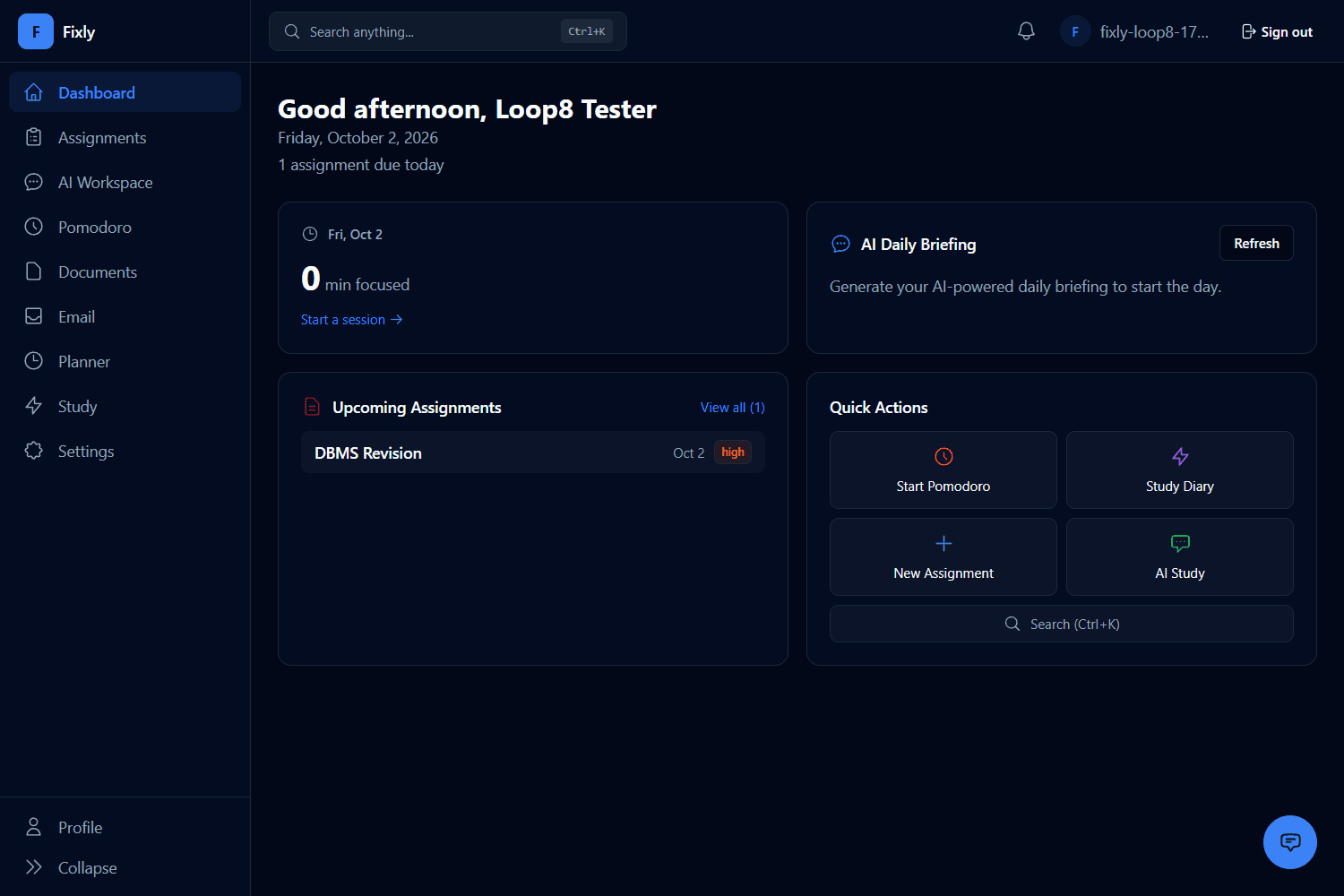
1Focus time, AI daily briefing, deadlines — today at a glance.
1/6Everything in one app.
Four simple tools that replace the six apps you juggle today.
Assignment tracker
Every due date in one list, sorted by what's most urgent.
Smart study plan
Fixly tells you what to study first, based on exams and marks.
Focus timer
25-minute study sprints with notifications switched off.
Search your notes
Find any line inside your PDFs and slides, right on your PC.
See Fixly in action
Real captures from the Windows app — dashboard, AI workspace, documents and study planner, all in one place.
Dashboard
Your day at a glance — focus time, AI daily briefing, upcoming assignments, and quick actions.
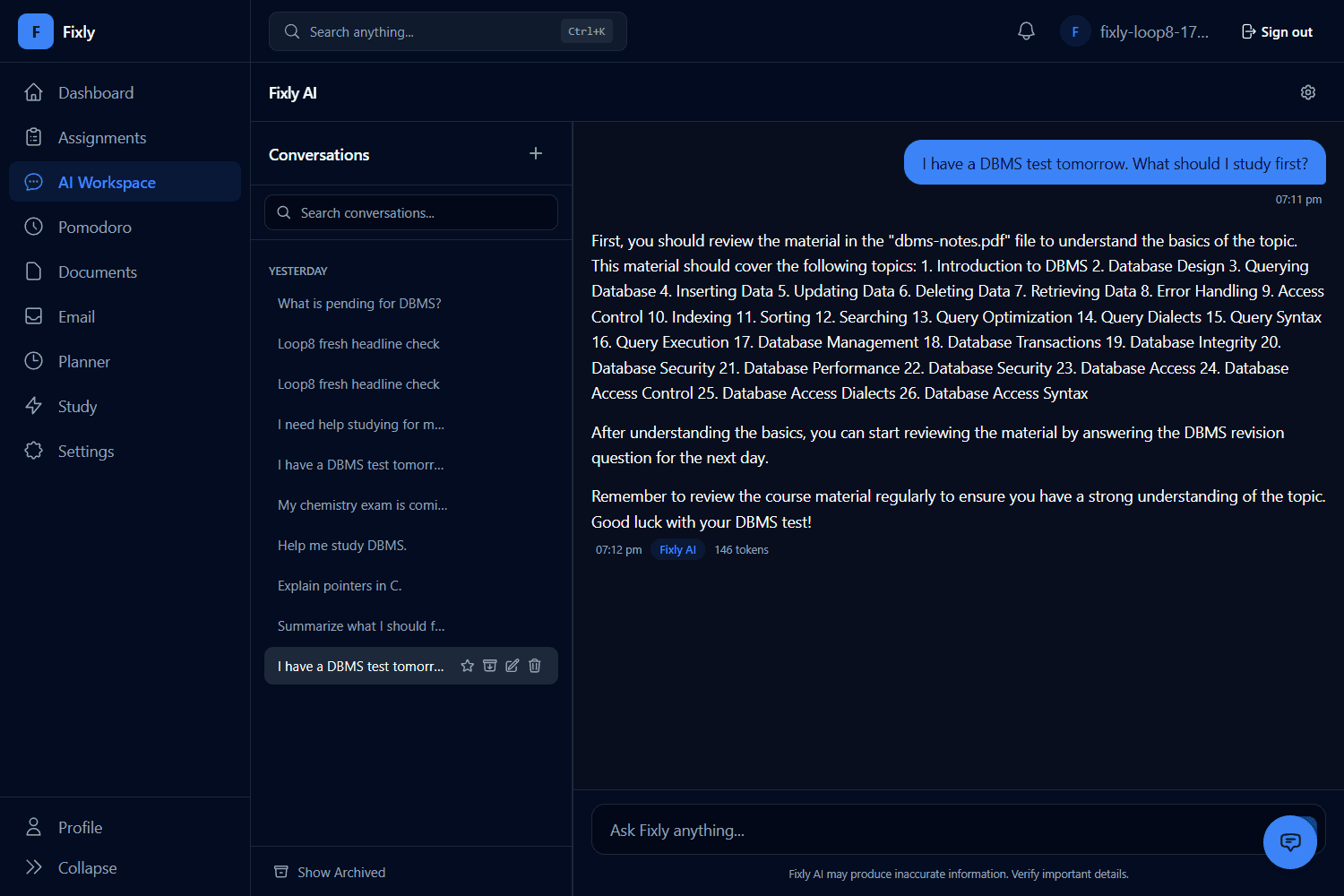
AI Workspace
Chat with Fixly AI about your syllabus and notes — every reply shows exactly what it used.
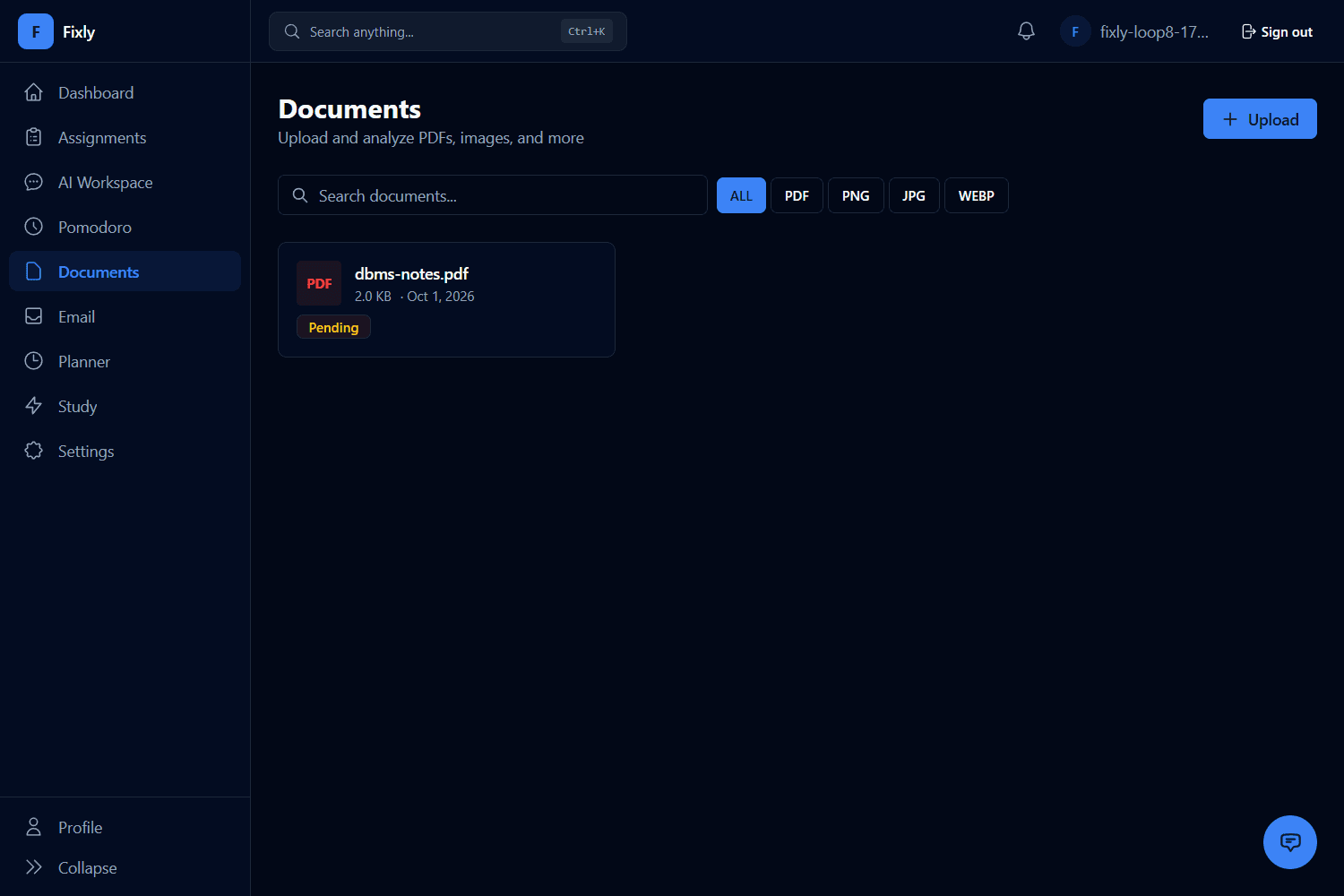
Documents
Upload PDFs, images and slides, then filter by type — every subject's files in one place.
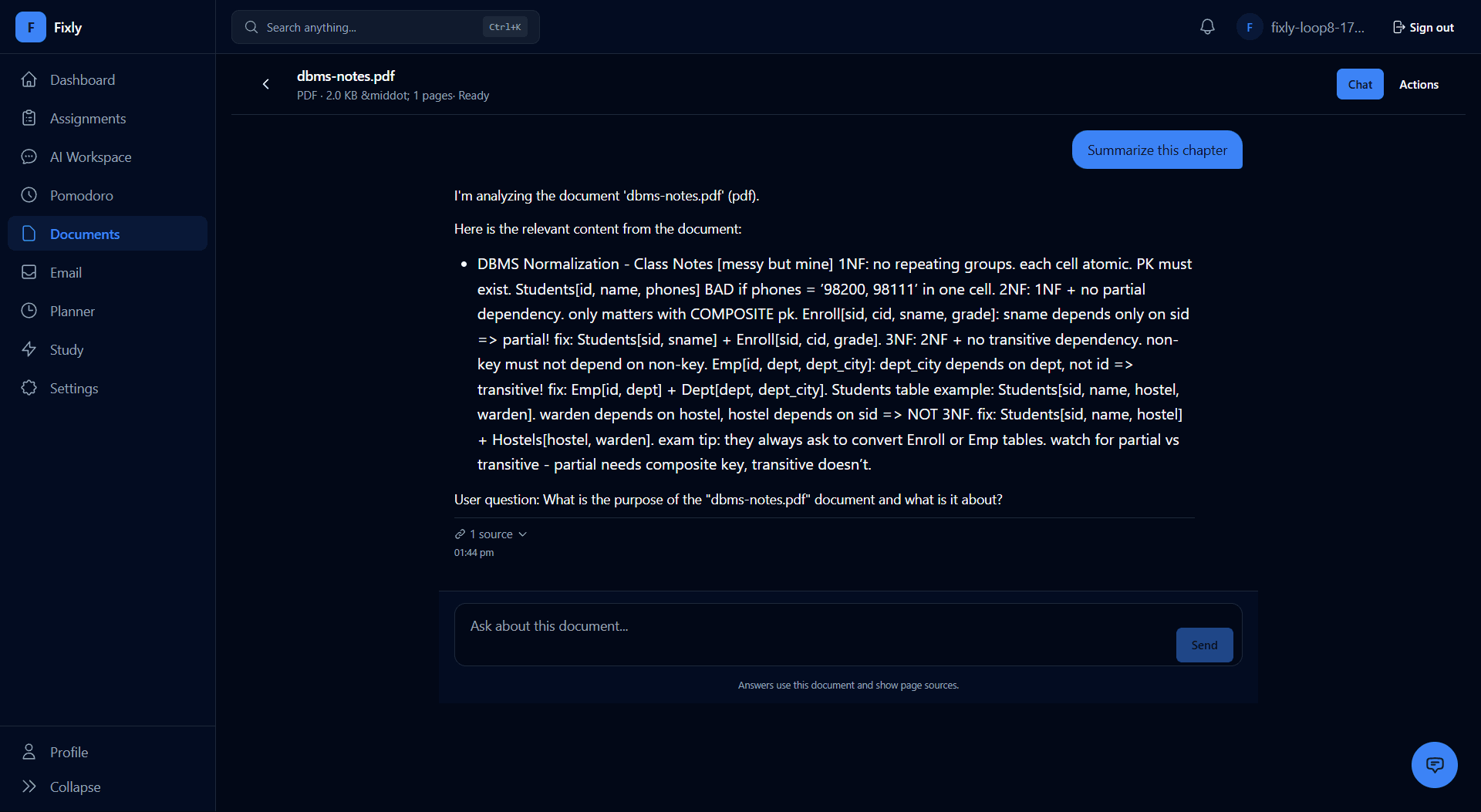
Chat with a document
Ask a question about a PDF and get an answer that points back to its exact source.
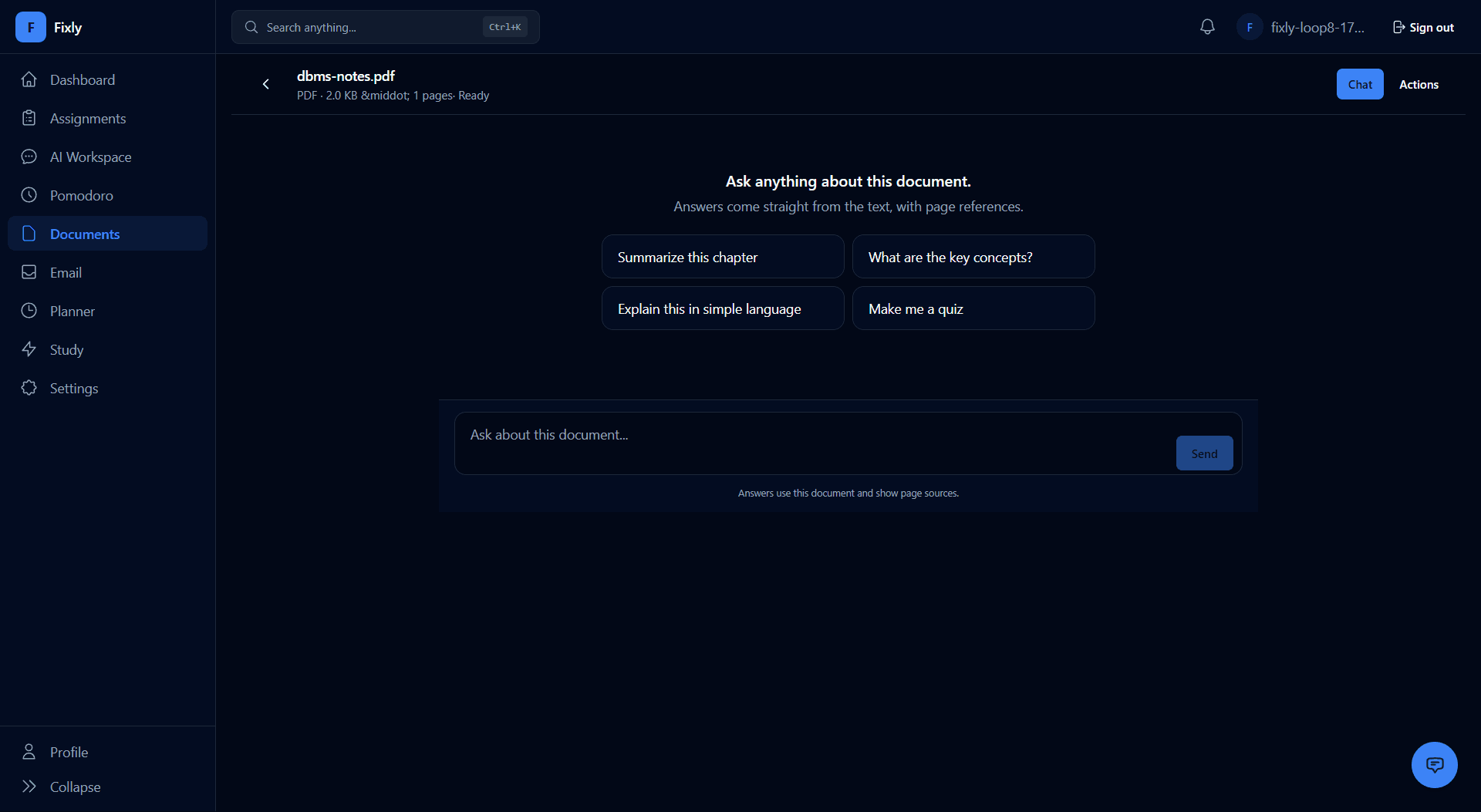
Document questions
Stuck on a chapter? Start from the suggested questions and get answers straight from the text.
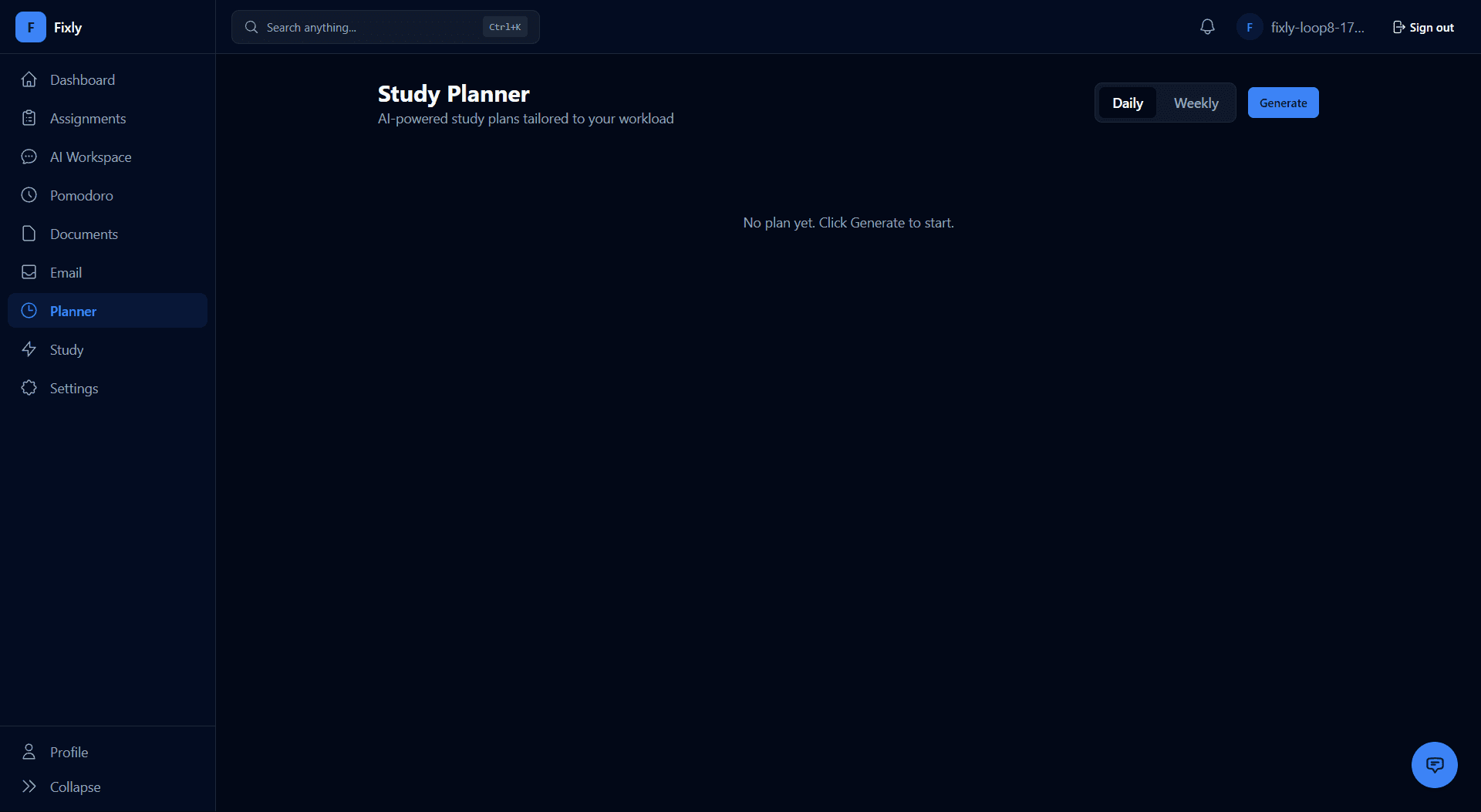
Study Planner
Generate a daily or weekly study plan tailored to your workload.
Dashboard
Your day at a glance — focus time, AI daily briefing, upcoming assignments, and quick actions.
AI Workspace
Chat with Fixly AI about your syllabus and notes — every reply shows exactly what it used.
Documents
Upload PDFs, images and slides, then filter by type — every subject's files in one place.
Chat with a document
Ask a question about a PDF and get an answer that points back to its exact source.
Document questions
Stuck on a chapter? Start from the suggested questions and get answers straight from the text.
Study Planner
Generate a daily or weekly study plan tailored to your workload.
What's new
Planner plans now come with actions you can run — create an assignment, add it to your plan, or reschedule in one click.
Sign-in holds up on flaky hostel Wi-Fi — no more random sign-outs on network blips.
Documents: summarize → study notes → flashcards → quiz, straight from any PDF.
Windows today. Linux in development — an experimental Linux x86_64 build (starting with Arch) is being tested for local AI performance, compatibility and resource usage on older, low-end student hardware.
Privacy
Your files aren't the product.
Local-first AI, encrypted sync, zero ads — and we'll tell you exactly what's where.
AI runs on your laptop
The core AI engine is installed with Fixly and works on your device — your notes don't need the cloud to think.
Synced, encrypted, yours
Documents sync to your private Fixly account — encrypted in transit and at rest, protected by row-level security. Never sold, never ads.
No Wi-Fi? Keep working.
Hostel Wi-Fi down? Keep working — your changes queue up and sync when you're back online.
We're not the only ones annoyed.
“I missed a deadline because it was in Google Calendar and I was checking Trello. They don't talk to each other.”
Sarah K.
Business Major · 2nd Year
“My notes are in Notion, assignments in Trello, and AI help in ChatGPT. Nothing is connected. I want one platform.”
Raj P.
Engineering · 2nd Year
“An AI that understands my syllabus, notes and exam dates — then makes a realistic daily study plan. That's what I need.”
Survey respondent
Diploma · Computer Engg
Made between lectures.
Three students built Fixly because we needed it too.
Aryan Sonsurkar
Founder & Product Engineer
I build Fixly — mostly at 2 AM, always on a Windows laptop.
Aarya Nawar
Product Experience & Testing
I try to break Fixly before students find the bugs.
Hiba Mujawar
Community & Feedback
I talk to students every day and bring the feedback back.
Questions, answered.
No. Fixly is a study companion, not a replacement for teachers, lectures, or classrooms. It helps you organize deadlines, understand concepts from your own notes, and review with flashcards and quizzes — the actual learning still happens with you and your teachers.
Yes. Your uploads and data are encrypted in transit and at rest, and we never sell or share your personal or academic data with third parties. Your data belongs to you.
Yes — Fixly is free. No credits, no trials, no card. The beta includes assignment tracking, the AI study assistant, the focus timer, document uploads and the study planner. If paid tiers ever arrive, waitlist members hear about it first and the core stays free for students.
No. Fixly works for any branch and any semester — you add your own subjects, deadlines, and materials. It's currently being tested mostly with diploma and engineering students, but the system adapts to whatever you put in.
Fixly is a desktop app for Windows 10/11 (64-bit) today. An experimental Linux build is in development — not available yet (see the next question). macOS, web and mobile versions are not in development — join the waitlist and you'll be the first to hear if that changes.
Linux is coming to Fixly. We're building an experimental Linux version for students who want to run Fixly on their own machines — including Arch Linux (first target: x86_64), currently testing local AI performance, compatibility and resource usage on older, low-end student hardware. Windows today, Linux in development — there's no download link yet, it's coming soon, and waitlist members hear first.
ChatGPT is a general chatbot — it doesn't know your syllabus, your deadlines, or your notes. Fixly grounds its answers in YOUR uploaded documents, tracks your assignments, and builds study plans around your deadlines. It's a workspace, not just a chat box.
Upload your PDFs and notes, and Fixly's AI can summarize them, answer questions based on their content, and generate practice questions from them. Answers stay grounded in your material instead of generic web knowledge.
There is no credit system in the beta — AI features are free to use while we test with early students. If we introduce usage limits or paid tiers after launch, waitlist members will hear about it first, and the core features will stay affordable for students.
Join our WhatsApp community for the fastest response, or reply to any email from us. Beta testers directly shape the roadmap — most of the current features came from student requests.
Yes. Your conversations are tied to your account, encrypted, and never sold or shared. We may use aggregated, anonymized usage patterns to improve the product, but never your personal content.
Mostly, yes. The app, your files and the built-in AI engine all run on your laptop, so assignments, planning, focus timer and document chat keep working offline. Internet is needed for sign-up and to sync your records — changes you make offline sync when you're back online.
Both. Your PDFs are stored in your private Fixly account (encrypted in transit and at rest, protected by Supabase row-level security) and cached on your laptop so everything works offline. We never sell your data or use it for ads.
The installer is unsigned because code-signing certificates cost money we don't have yet — common for independent apps. Click More info → Run anyway. The download is checksummed (SHA-256: a79174ac29bd6ff5b02621326924694642ec445672c82ae84942180e82d63225) and the source is public on GitHub.
Windows 10 or 11 (64-bit), about 5 GB of free disk for the built-in AI engine, and 8 GB RAM recommended. The installer is 1.43 GB and the app is free — no subscription.
Join the Fixly testing community.
Download Fixly free for Windows. Then sign up below — get early builds, talk to us directly, and help decide what we build next.
Fixly for Windows
Free · v1.0.10 · Windows 10/11 x64
Know a batchmate drowning in assignments?
sendShare on WhatsApp